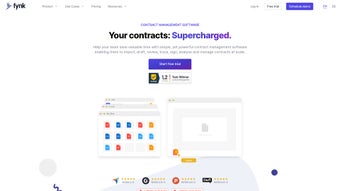

Overview of Fynk: AI‑Powered Contract Management for Modern Enterprises
Fynk is an AI‑driven contract management platform that turns the traditionally manual contract lifecycle into a fast, secure, and collaborative process. From the moment a user opens a new contract template, the built‑in natural‑language processing engine begins to suggest appropriate clauses, auto‑populate fields with data pulled from connected CRM or ERP systems, and flag any language that deviates from the organization’s risk policies. The result is a draft that is already compliant, consistent, and ready for review.
Fynk’s cloud‑first architecture guarantees that every stakeholder—legal counsel, procurement officers, sales teams, and executives—can work on the same document in real time, regardless of whether they are on a Windows desktop, a macOS laptop, an iPhone, or an Android tablet. The platform also offers a secure e‑signature module that meets eIDAS, ESIGN, and other global standards, ensuring that contracts are legally binding the moment a signer clicks “Approve.” In addition, Fynk continuously monitors signed agreements for renewal dates, performance milestones, and compliance obligations, automatically sending alerts so businesses never miss a critical deadline. By combining AI‑assisted drafting, collaborative editing, encrypted storage, and proactive lifecycle management, Fynk reduces the average time to contract execution by up to 60 % while also lowering legal risk.
Whether a fast‑growing startup needs a free trial or a multinational corporation requires GDPR‑compliant data residency, Fynk scales to meet the demands of any organization looking to modernize its contract workflow.
Core Features and AI Capabilities that Differentiate Fynk
AI‑Enhanced Drafting and Real‑Time Risk Scoring
When a user creates a new agreement, Fynk’s deep‑learning model instantly proposes a library of pre‑approved clauses based on the contract type, jurisdiction, and internal policy settings. The AI then evaluates the draft against a risk matrix, highlighting ambiguous language, missing signatures, or non‑standard terms. Each issue is assigned a risk score ranging from low to critical, allowing legal teams to prioritize reviews efficiently. This intelligent assistance reduces repetitive drafting by up to 40 % and dramatically cuts the chance of costly errors slipping into final contracts.
Collaborative Editing with Immutable Audit Trails
The platform’s collaborative editor works like a cloud‑based word processor but adds version control, role‑based permissions, and a tamper‑proof audit log. Every comment, suggestion, and change is timestamped and linked to a user profile, providing full transparency for internal governance and external audits. Users can lock sections for exclusive review, assign tasks, and track progress through a visual dashboard that displays who is working on what and when the next approval is due.
Secure E‑Signature Integration
Fynk integrates with leading e‑signature providers and also offers its own native signing module that complies with eIDAS, ESIGN, and UETA. Signers receive a time‑stamped, multi‑factor authenticated link that verifies identity before the signature is applied. Once completed, the contract is stored in an encrypted vault (AES‑256 at rest, TLS 1.3 in transit) and linked back to the originating workflow, ensuring an end‑to‑end secure execution path.
Dynamic Content, Smart Blocks, and Form‑Driven Contracts
To eliminate manual data entry, Fynk supports dynamic fields that can be populated via web forms, questionnaires, or API calls. Smart blocks act as reusable contract components—such as confidentiality clauses or pricing tables—that can be dragged into any agreement. This modular approach enables rapid creation of customized contracts for different customers, regions, or product lines while maintaining a single source of truth for all clause language.
Automated Renewal Management and Performance Alerts
The built‑in calendar engine tracks critical dates, including renewal windows, expiry dates, and key performance milestones. Automated email notifications and dashboard alerts are sent at configurable intervals (e.g., 30, 15, and 5 days before a renewal) so that stakeholders can proactively negotiate extensions or terminations. This feature safeguards revenue streams and ensures compliance with service‑level agreements.
Extensive Integration Ecosystem
Fynk offers native connectors for Salesforce, HubSpot, Microsoft Dynamics, SAP, and more. Through RESTful APIs and webhooks, contract data can be pushed into ERP systems, trigger approval workflows, or synchronize signatures back to CRM records. The integration layer reduces manual hand‑offs, improves data consistency across business applications, and enables a unified view of contract performance metrics.
- AI‑driven clause recommendation and risk scoring
- Real‑time collaborative editing with immutable audit logs
- Secure e‑signature compliance (eIDAS, ESIGN, UETA)
- Dynamic fields, smart blocks, and form‑driven contracts
- Automated renewal reminders and performance alerts
- GDPR‑compliant encryption and EU data residency options
- Native integrations with Salesforce, HubSpot, SAP, Microsoft Dynamics
- Customizable templates for multiple jurisdictions
- Role‑based access control and multi‑factor authentication
Getting Started, System Compatibility, and Real‑World Pros & Cons
Simple Download and Secure Setup
To begin, visit the official Fynk website and click the “Download Free Trial” button. Choose the installer that matches your operating system—Windows 10/11, macOS 12+, iOS 14+, or Android 9+. All installers are digitally signed, guaranteeing a malware‑free download. The setup wizard walks you through organization configuration, admin account creation, and cloud‑storage selection (AWS, Azure, or Google Cloud). Within ten minutes, even non‑technical users can have a fully functional instance ready for contract creation.
Supported Platforms and Security Guarantees
Fynk runs on a cross‑platform stack, supporting the following environments:
- Windows 10, Windows 11 (64‑bit)
- macOS 12 Monterey and later
- iOS 14+ (iPhone & iPad)
- Android 9+ (smartphones & tablets)
- Web browsers: Chrome, Edge, Firefox, Safari (latest versions)
All data is encrypted at rest (AES‑256) and in transit (TLS 1.3). The platform complies with GDPR, offering data‑processing agreements and the ability to host data within EU data centers. Monthly automatic updates deliver new AI models, security patches, and feature enhancements without user intervention, while on‑premise customers can schedule quarterly patches through the admin console.
Step‑by‑Step Usage Guide
1. Create a New Contract: From the dashboard, select “New Contract,” choose a template, and let the AI suggest clauses.
2. Populate Dynamic Fields: Use the built‑in form builder to capture client data; map these fields to placeholders in the document.
3.
Collaborate: Invite teammates, assign roles (editor, reviewer, approver), and edit in real time.
4. Run AI Risk Analysis: Review the risk score, address flagged issues, and finalize the draft.
5. Obtain E‑Signatures: Send the contract to signers via secure links; once signed, the document is automatically archived.
6.
Monitor & Renew: Set renewal alerts; the system will notify relevant parties before critical dates.
7. Integrate: Link the contract to your CRM or ERP to keep data synchronized across the organization.
Pros & Cons Summary
- Pros:
- AI‑driven drafting cuts manual effort and reduces risk.
- Real‑time collaboration with full audit trails ensures compliance.
- Secure e‑signature module meets global legal standards.
- Dynamic fields and smart blocks streamline data entry.
- Automated renewal alerts prevent missed deadlines.
- Extensive native integrations keep workflows seamless.
- GDPR‑compliant encryption protects sensitive information.
- Cross‑platform availability (Windows, macOS, iOS, Android).
- Free trial and scalable pricing for businesses of any size.
- Cons:
- Initial AI model tuning may be required for highly specialized industries.
- Advanced features such as custom on‑premise hosting are limited to higher‑tier plans.
- Users unfamiliar with contract‑automation concepts face a modest learning curve.
- Full functionality depends on a reliable internet connection for cloud features.
FAQ – Frequently Asked Questions
Is there a free version of Fynk for small teams?
Yes. Fynk offers a 14‑day free trial with full feature access. After the trial, a “Starter” plan is available at a low monthly price for teams up to five users.
Can Fynk integrate with my existing CRM or ERP?
Absolutely. Native connectors exist for Salesforce, HubSpot, Microsoft Dynamics, SAP, and more. Custom integrations are also possible via the REST API and webhooks.
How does Fynk ensure data security and GDPR compliance?
All data is encrypted at rest (AES‑256) and in transit (TLS 1.3). Fynk provides EU‑based data residency, Data Processing Agreements, and regular security audits to meet GDPR requirements.
What happens if I lose internet connectivity while editing a contract?
The desktop and mobile apps cache changes locally and sync automatically once connectivity is restored. However, e‑signature and integration features require an active internet connection.
When will my signed contracts be archived?
Immediately after the last required signature is captured. The contract is stored in an encrypted vault and linked to the originating workflow for instant retrieval.
Conclusion – Transform Your Contract Workflow with Fynk Today
In today’s fast‑paced business environment, contracts are no longer back‑office paperwork; they are strategic assets that drive revenue, define relationships, and mitigate risk. Fynk equips organizations with the AI intelligence, collaborative tools, and security guarantees needed to turn every agreement into a competitive advantage. By automating drafting, enforcing compliance, and proactively managing renewals, Fynk not only shortens the time to close deals but also safeguards the company from legal exposure. If you are ready to replace endless email threads, manual Word documents, and risky spreadsheet‑based approvals with a single, intelligent platform, now is the perfect time to experience Fynk. Click the button below to start your free trial, explore the AI features, and see how quickly your team can move from draft to signed contract.
Review
Pros: AI‑assisted drafting, real‑time collaboration, secure e‑signatures, dynamic content blocks, automated renewal alerts, extensive integrations, GDPR‑compliant encryption, cross‑platform support, and flexible pricing.
Cons: Requires initial AI tuning for niche industries, higher‑tier plans needed for custom on‑premise hosting, modest learning curve for non‑technical users, and dependence on stable internet connectivity.



.png)



